Icon of program: WinWatermark

WinWatermark for Windows

  • Trial version
  • 3.4
    17
  • 5.8K
  • V2.8.4
Download for Windows

View an ad to download for free

Easily protect your photos with watermarks

Watermarks are a smart way to identify your pictures, add some copyright information to them and also discourage people from using them improperly.

Unlock your creativity with Adobe Stock

Get 10 images or 1 video with a free trial

With WinWatermark you can easily add those watermarks to your pictures before publishing them online. The program supports working with a single image as well as processing photos in batches.

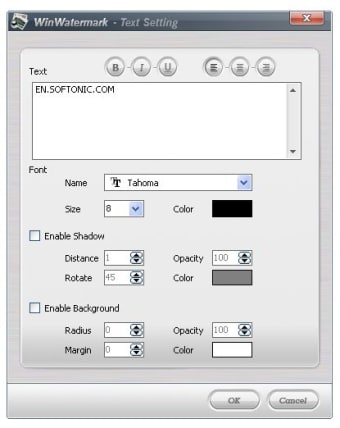
Watermarks can be either small graphics or text snippets, both of them with many customization options as for their transparency level, location on the picture, size and other elements.

Besides watermarks, WinWatermark also enables you to add a frame to your photos, again just with one picture or working with many of them at the same time.

Frames also have a wide range of configuration options to make them look just the way you want.

WinWatermark can save resulting images in different graphic formats with adjustable quality values.

Also, I specially liked the possibility to save watermarks for later use.

If you're looking for a complete watermark application with which to identify your pictures, WinWatermark is probably one of the best ones you can find.



  • Pros

    • Adds both watermarks and frames
    • Many configuration options
    • You can save watermarks and use them later on
  • Cons

    • If only it was free...!
 0/4

App specs

  • Developer

    • WinWatermark.com
  • License

    Trial version

  • Version

    2.8.4
  • Latest update

  • Platform

    Windows

  • OS

    Windows XP

  • Language

    English

  • Downloads

    5.8K

  • Size

    4.93 MB

Program available in other languages


Icon of program: WinWatermark

WinWatermark for PC

  • Trial version
  • 3.4
    17
  • 5.8K
  • V2.8.4
Download for PC

View an ad to download for free


User reviews about WinWatermark

Have you tried WinWatermark? Be the first to leave your opinion!

Add review

You may also like

Explore Apps

Latest articles

Laws concerning the use of this software vary from country to country. We do not encourage or condone the use of this program if it is in violation of these laws.
Softonic

Is WinWatermark safe?

100/100

Score result: Clean

This file passed a comprehensive security scan using VirusTotal technology. It is safe to download.

  • Virus free
  • Spyware free
  • Malware free
  • Verified by Security Partners

    VirusTotal logo

Scan Info

Last scan
Wednesday, January 7, 2026
Scan provider
VirusTotal · Full report

File Integrity

File
WinWatermark_V2.8.4.exe
SHA256
9d73c6475846c5a2c33da0e7b412164517bdb0a0bbb4626072db3f45409edec6
SHA1
e7d268aa529090208267ae2fff4d0704cbf50fdb

Softonic security commitment

WinWatermark has been thoroughly scanned by our advanced security systems and verified by industry-leading partners. This file comes from the official developer and has passed all our security checks, showing no signs of viruses, malware, or spyware. For more information, visit our Security and Trust Center

Signed in to Softonic as